
Still thinking about it? Save your Promo Code here
INTRODUCING ALL NEW
TRIBECAR FLEXIFUEL

World’s 1st car-sharing platform with flexible fuel options
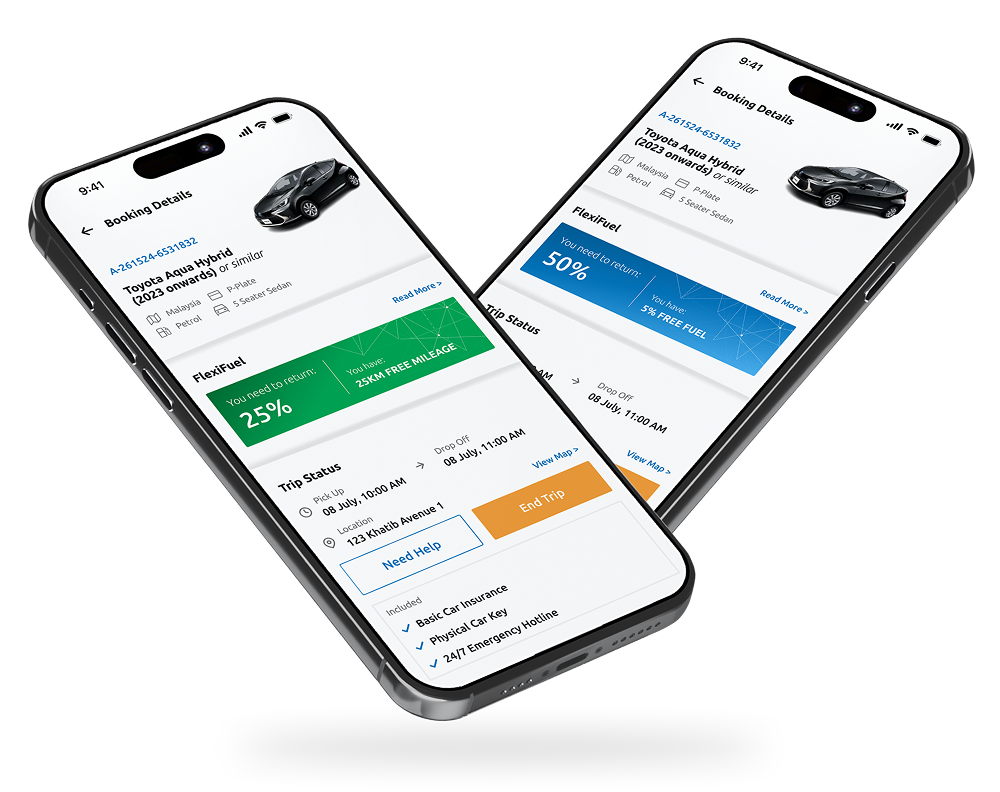
The smarter way to drive. Now you can choose your fuel policy
INTRODUCING ALL NEW
TRIBECAR
FLEXIFUEL
World’s 1st car-sharing platform with flexible fuel options
The smarter way to drive. Now you can choose your fuel policy

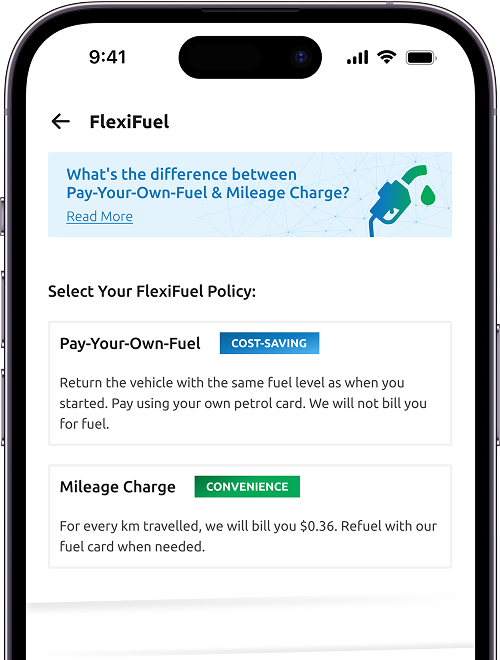
Pay-Your-Own-Fuel
OR

Mileage Charge

Exclusive to Tribecar
The only car-sharing platform in the world offering fuel flexibility.

Choose Your Fuel Policy
Your fuel, your choice! Choose value or convenience for your bookings.

No More Uncertainty
Enjoy a hassle-free driving experience.

Love Free Fuel?
Keep the kampung spirit alive. Any excess fuel top up will be shared.
Tribecar's Pay-It-Forward Fuel
More than a feature, it’s a tradition.
Refuel a little extra, and you’re paying it forward to the next driver. Who knows — you might find a pleasant surprise waiting too!
Leftover fuel? It rolls over when you book the same car again.
––––––
One Community. One tank at a time.
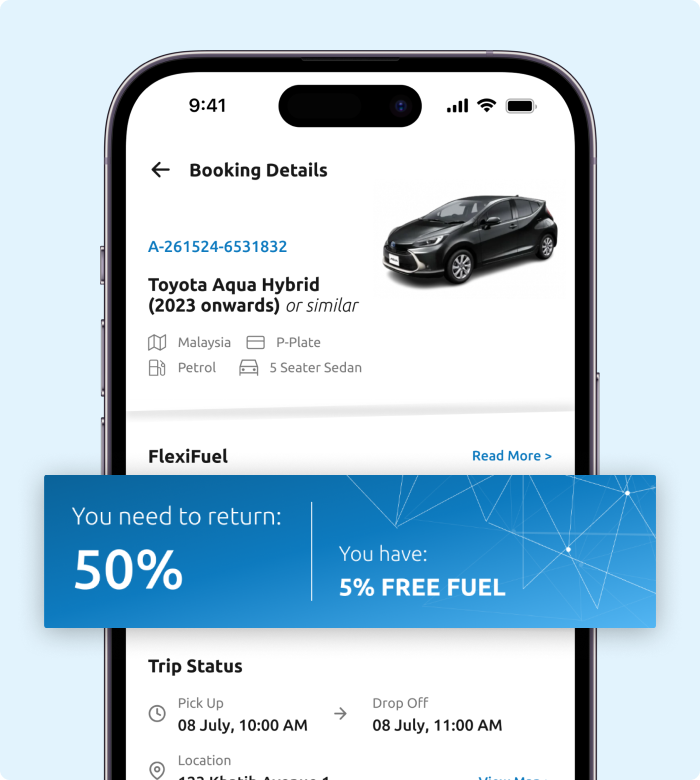
Pay-Your-Own Fuel

Return Same as Starting Fuel Level
Return the car with at least the same fuel level as at trip start. See the app for guidance.

Maximise Your Savings
Take advantage of petrol station and credit card discounts.
Mileage Charge

Return the vehicle with >25% Fuel
If the fuel level falls below 25% during your booking, refuel using our Tribecar fuel card to qualify for incentives.
Plan your trip with confidence.
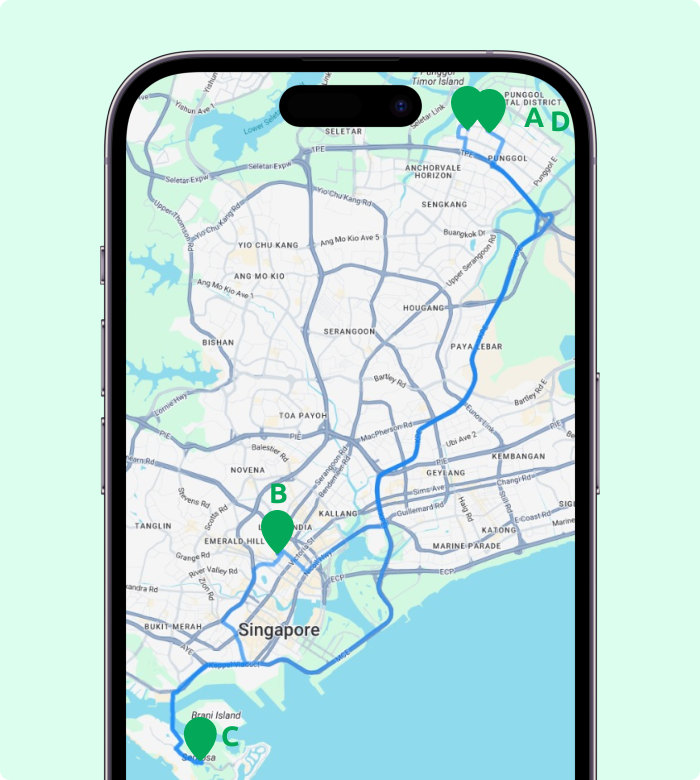
See how the mileage charge applies to real journeys with this example:
A round trip of 60.2 km from Punggol to Bugis to Sentosa and back (A → B → C → D) incurs a $22.88 mileage charge at $0.38/km.
When Can You Choose Your
FlexiFuel Policy
01
When you’re choosing your favourite Tribecar.
02
Within the first 5-minute window after starting your trip.
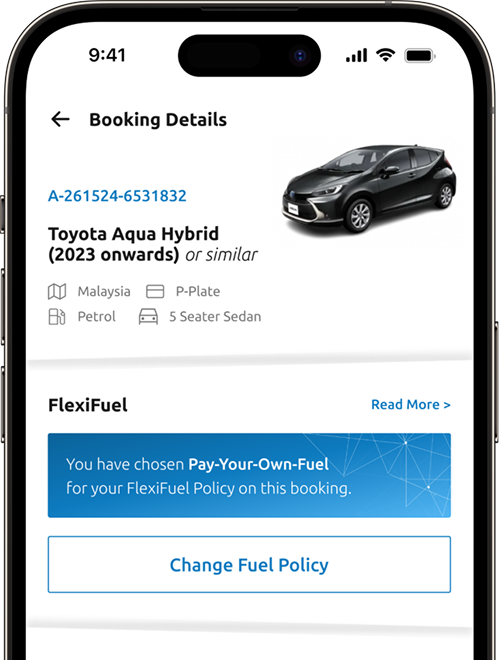

Starting your trip after the first 5 minutes will lock in your chosen fuel policy. You won’t be able to change it thereafter.
Things to Note
Here are some frequently ask questions on FlexiFuel
FlexiFuel is all about giving you choices with your Tribecar booking!
You can decide whether you'd prefer the Mileage Charge option, where you're billed based on the distance you travel, or the Pay-Your-Own-Fuel option, which allows you to take advantage of your own credit card and petrol card discounts to potentially save up to 30% when you refuel/recharge.
You can decide whether you'd prefer the Mileage Charge option, where you're billed based on the distance you travel, or the Pay-Your-Own-Fuel option, which allows you to take advantage of your own credit card and petrol card discounts to potentially save up to 30% when you refuel/recharge.
It’s easy! On the main map in the app, look for location pins that have a little Tribecar crown on top. Tap on these pins to see the available cars at that spot. If a vehicle has FlexiFuel, you'll see a clear "FlexiFuel" tag right on its vehicle card.
Vehicle Collection:
For petrol and diesel vehicles, please ensure the fuel level is at least 25% when you collect the vehicle. For electric vehicles (EVs), the State-of-Charge (SoC) should be a minimum of 50% upon collection. If the vehicle does not meet these minimum levels when you pick it up, please report the issue immediately via the app, and you will be compensated accordingly at the end of your trip.
Returning the Vehicle:
Pay-Your-Own-Fuel: With this option, simply return the vehicle with the same fuel/charge percentage as when you started your trip. You can always check the 'Current Booking' page for the specific minimum level needed to complete your trip.
Mileage Charge: For this plan, please ensure the fuel level is more than 25% when you return the vehicle. If it's lower, you'll find a fuel card in the car that you can use to refuel before you return the vehicle. You will be compensated automatically if you refuel/recharge the vehicle by more than 50% of its current level.
For petrol and diesel vehicles, please ensure the fuel level is at least 25% when you collect the vehicle. For electric vehicles (EVs), the State-of-Charge (SoC) should be a minimum of 50% upon collection. If the vehicle does not meet these minimum levels when you pick it up, please report the issue immediately via the app, and you will be compensated accordingly at the end of your trip.
Returning the Vehicle:
Pay-Your-Own-Fuel: With this option, simply return the vehicle with the same fuel/charge percentage as when you started your trip. You can always check the 'Current Booking' page for the specific minimum level needed to complete your trip.
Mileage Charge: For this plan, please ensure the fuel level is more than 25% when you return the vehicle. If it's lower, you'll find a fuel card in the car that you can use to refuel before you return the vehicle. You will be compensated automatically if you refuel/recharge the vehicle by more than 50% of its current level.
Sometimes, the previous Tribecar user is generous enough to refuel beyond what they needed. When this happens, you'll see it as "Free Fuel" or “Free Mileage” – and it's yours to use during your booking without any extra charges!
We appreciate when our community embraces the #PayItForward spirit! If you happen to refuel, perhaps leave a bit extra for the next person's journey.
We appreciate when our community embraces the #PayItForward spirit! If you happen to refuel, perhaps leave a bit extra for the next person's journey.
Yes, you can amend your FlexiFuel option after confirming your booking, up until the first 5 minutes of your trip. However, if you've chosen the Mileage Charge plan and have used the Tribecar fuel card to refuel, switching to the Pay-Your-Own-Fuel option will not be possible.
To know the recommended amount of fuel to add before ending your trip, just check your current booking page in the app. This will show you how much to top up, but please consider this a recommendation, not a strict requirement. We suggest taking a look at least 15 minutes before your booking ends, just in case you need to refuel.
If you don't see the "FlexiFuel" tag on a vehicle's card, it simply means that the vehicle doesn't have the FlexiFuel feature. Once you tap on that vehicle to see more details, the applicable fuel policy will be clearly displayed, and it will be either Pay-Your-Own-Fuel or Mileage Charge.
When you have back-to-back bookings, the FlexiFuel plan you selected for your first booking will automatically apply to the second one as well. This means you won't be able to change the FlexiFuel option specifically for the second booking.
As easy as that! What are you waiting for?